7 Row Level Security
PDF page 60
3.5.1 What is Row Level Security
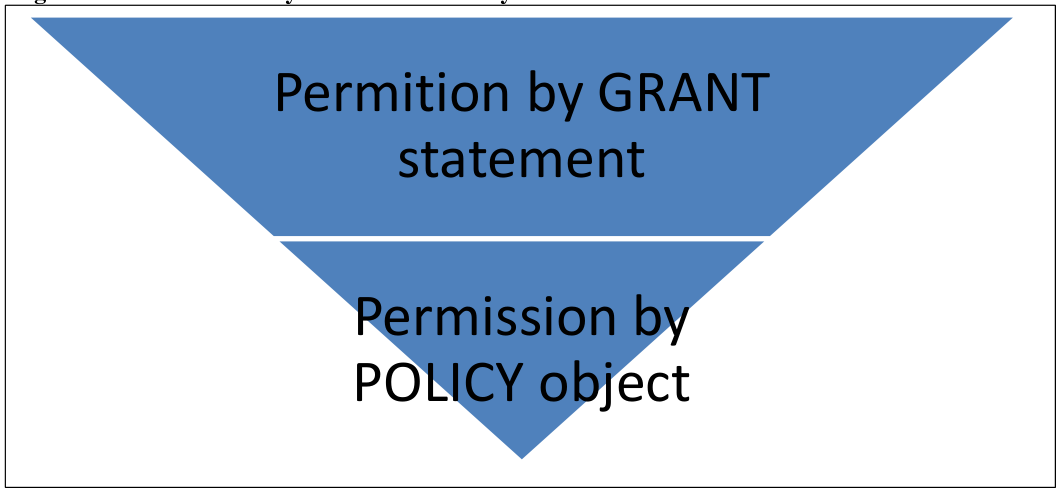
In previous PostgreSQL, the privilege to access to tables and columns is specified by GRANT statement. This style is available even in PostgreSQL 9.5. Row Level Security is a feature that allows you to limit the tuples (records), which were allowed in the GRANT statement also with tuple level. Row Level Security to by the access restriction you create an object called POLICY.
PDF page 60
3.5.2 Preparation
In order to use Row Level Security, execute the ALTER TABLE ENABLE ROW LEVEL SECURITY statement to the table to be restricted by policy. By default Row Level Security setting of the table is disabled. To disable the setting for the table, run the ALTER TABLE DISABLE ROW LEVEL SECURITY statement.
PDF page 61
3.5.3 Create POLICY object
To specify access privileges for a table, create the policy. Policy is created with the CREATE POLICY statement. General users can create POLICY. Syntax CREATE POLICY policy_name ON table_name [ FOR { ALL | SELECT | INSERT | UPDATE | DELETE } ] [ TO { roles | PUBLIC, …} ] USING (condition) [ WITH CHECK (check_condition) ]
PDF page 62
| Clause | Description |
|---|---|
| policy_name | Specify the policy name |
| ON | Specify the table name to which the policy is applied |
| FOR | Operation name to apply the policy or ALL |
| TO | Target role name to allow policy or PUBLIC |
| USING | Specify conditions for permission to access the tuple (Same syntax as WHERE clause). Only the tuples in which the condition specified by USING clause becomes TRUE is returned to the user |
| WITH CHECK | Specify the conditions for rows that can be updated by the UPDATE statement. You can not specify the CHECK clause in the policy for the SELECT statement |
In the example below, the POLICY to the table poltbl1 is created. Since TO clause is omitted, the subject is all users (PUBLIC), the operation is executed to all the SQL (FOR ALL), performed tuple is the one whose “uname” column’s value is the same as the current username (current_user function).
PDF page 63
User “user1”, who is the owner of the table poltbl1, stores 3 records (2-12 lines).
Although table tblpol1 is searched with the privilege of user “user2”, only one record whose
“uname” column’s value is “user2” is referenced (15-19 lines).
The user was trying to change the value of “uname” column, however, because of the
deviation of the condition specified in USING clause of the CREATE POLICY statement, UPDATE statement failed (20-21 lines).
PDF page 64
To change or delete policy setting is performed in ALTER POLICY statement or DROP POLICY statement, respectively.
3.5.4 Parameter Settings
Feature of Row Level Security is controlled by the parameter row_security. It can take the following values.
| Value | Description |
|---|---|
| on | Enable the feature of Row Level Security. This is the default value. |
| off | Disable the feature of Row Level Security. |
| force | It will force the feature of Row Level Security. The policy will be enforced and even the table owner will not be able to access the data which violates the policy. Therefore, even the owner of the table will not be able to access the data with policy violations. |
User Privileges
User with SUPERUSER privilege will be able to bypass the policy setting. User with BYPASSRLS privilege can bypass the policy by setting the parameter row_security to off (row_security can be set per session). General user who don’t have BYPASSRLS privileged cannot access the table. NOBYPASSRLS is specified as the default of CREATE USER statement.